
Journal of online sensor setup on a Raspberry Pi under the Istsos framework (SOS Standard)
/
We dont call this article a tutorial since not all steps of the sensor settings would be explained. It might be the idea of this article to show the general panorama of the sensor installation on a Raspberry Pi under the Istsos framework that implements the SOS standard.
Istsos github page:
Video
The journal is divided on several parts
Physical setup
Please install the sensor as explained on the figures and photos
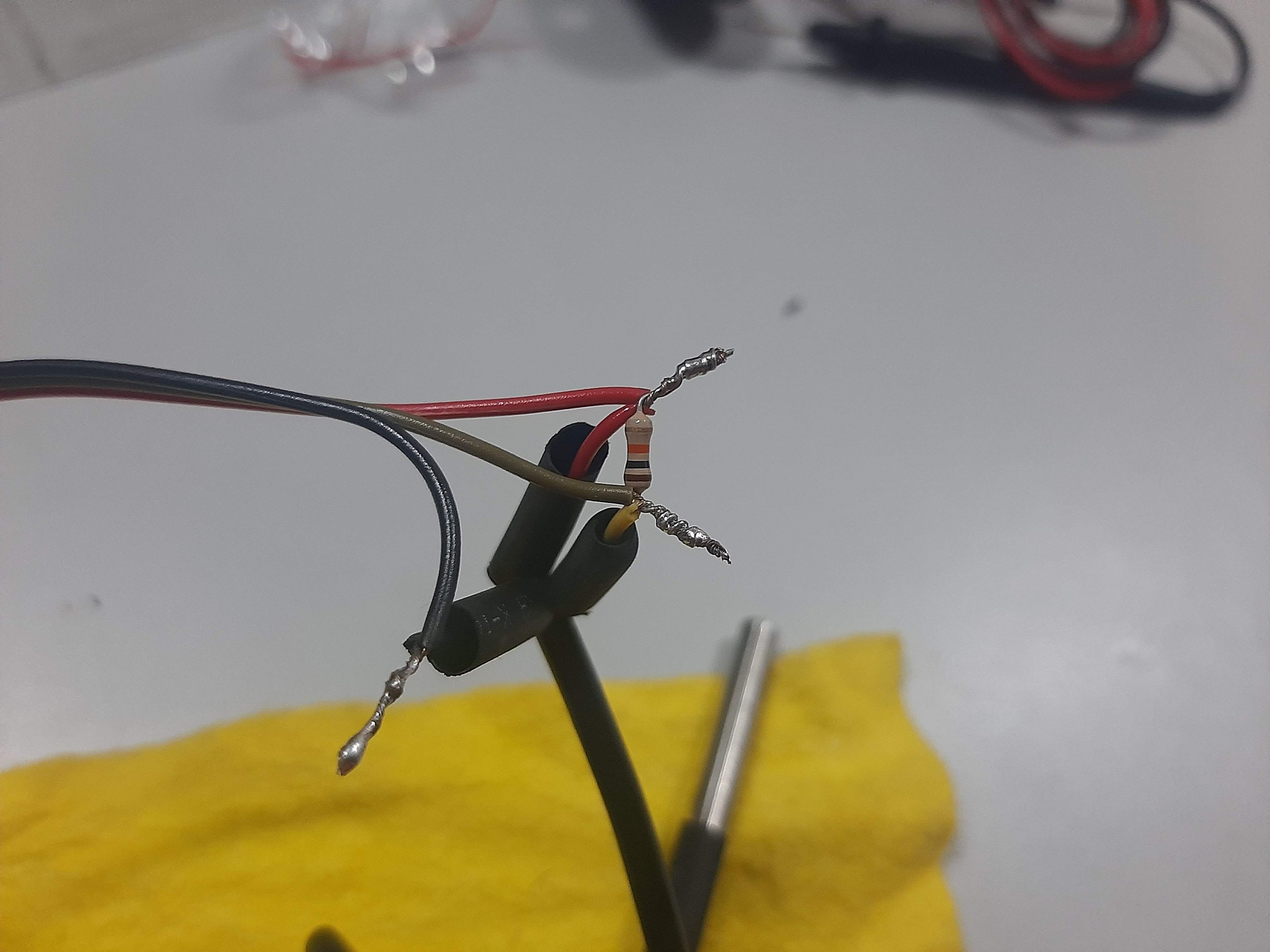
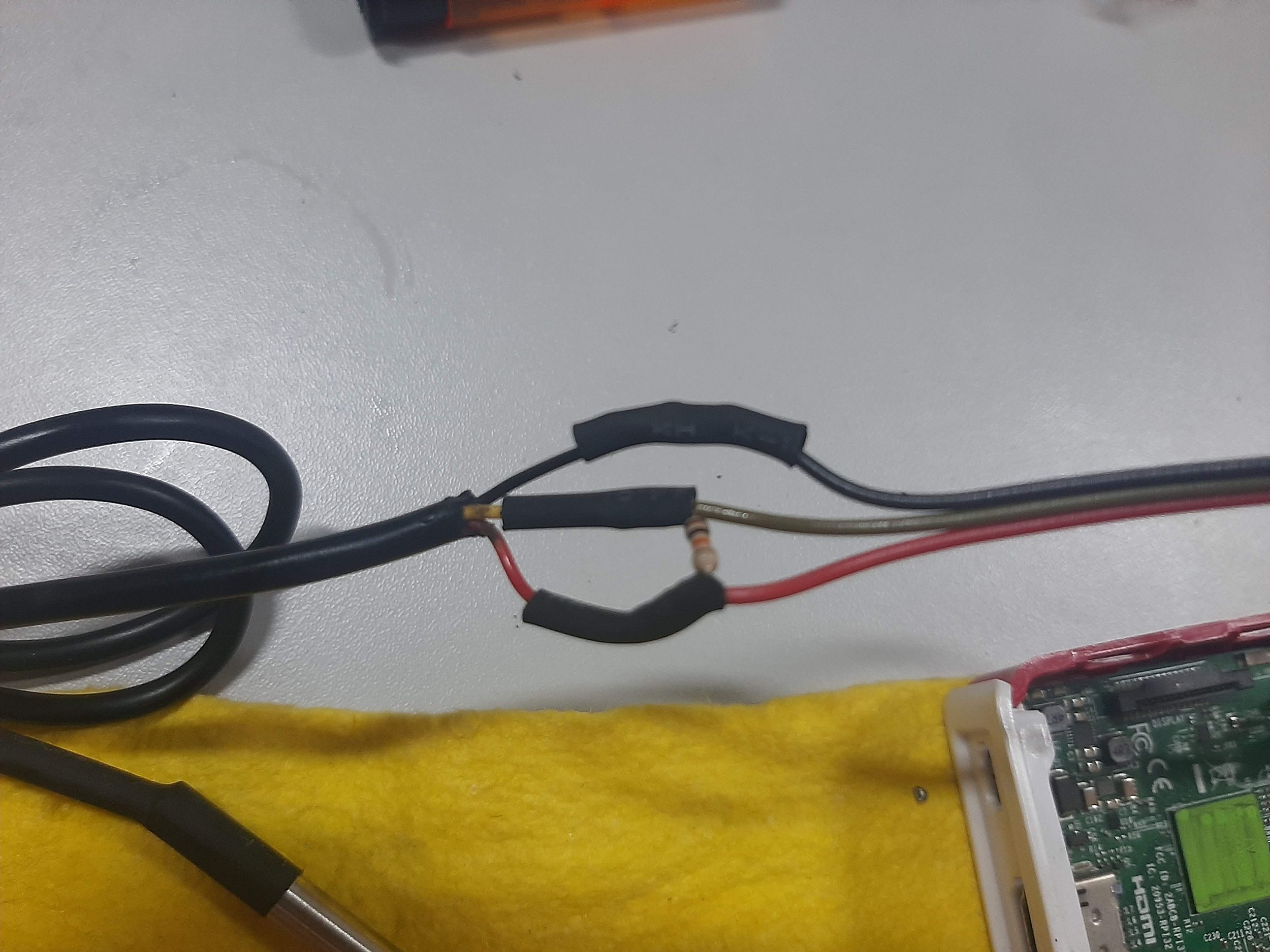
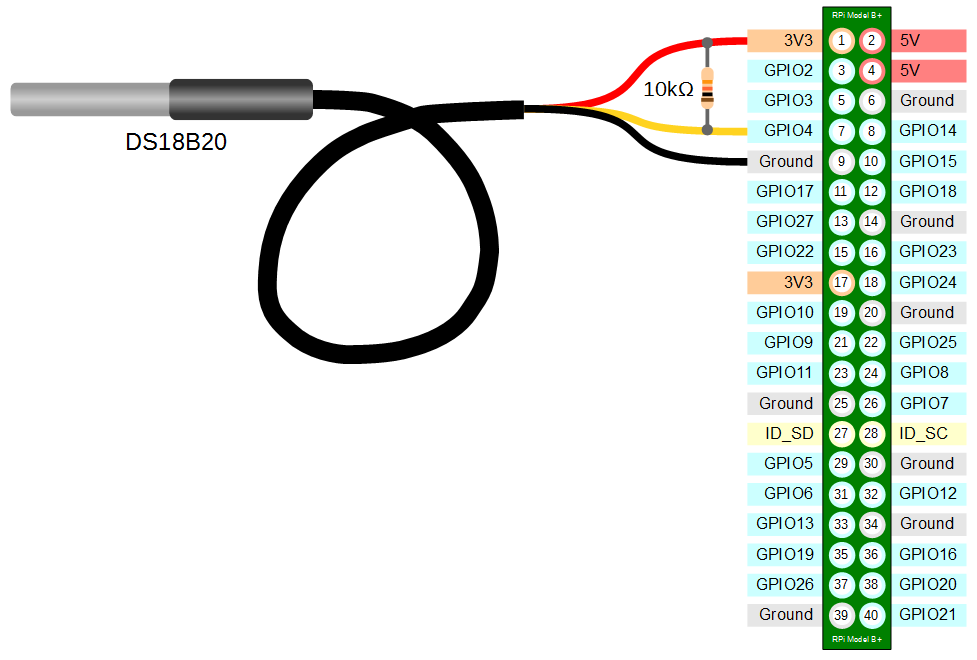
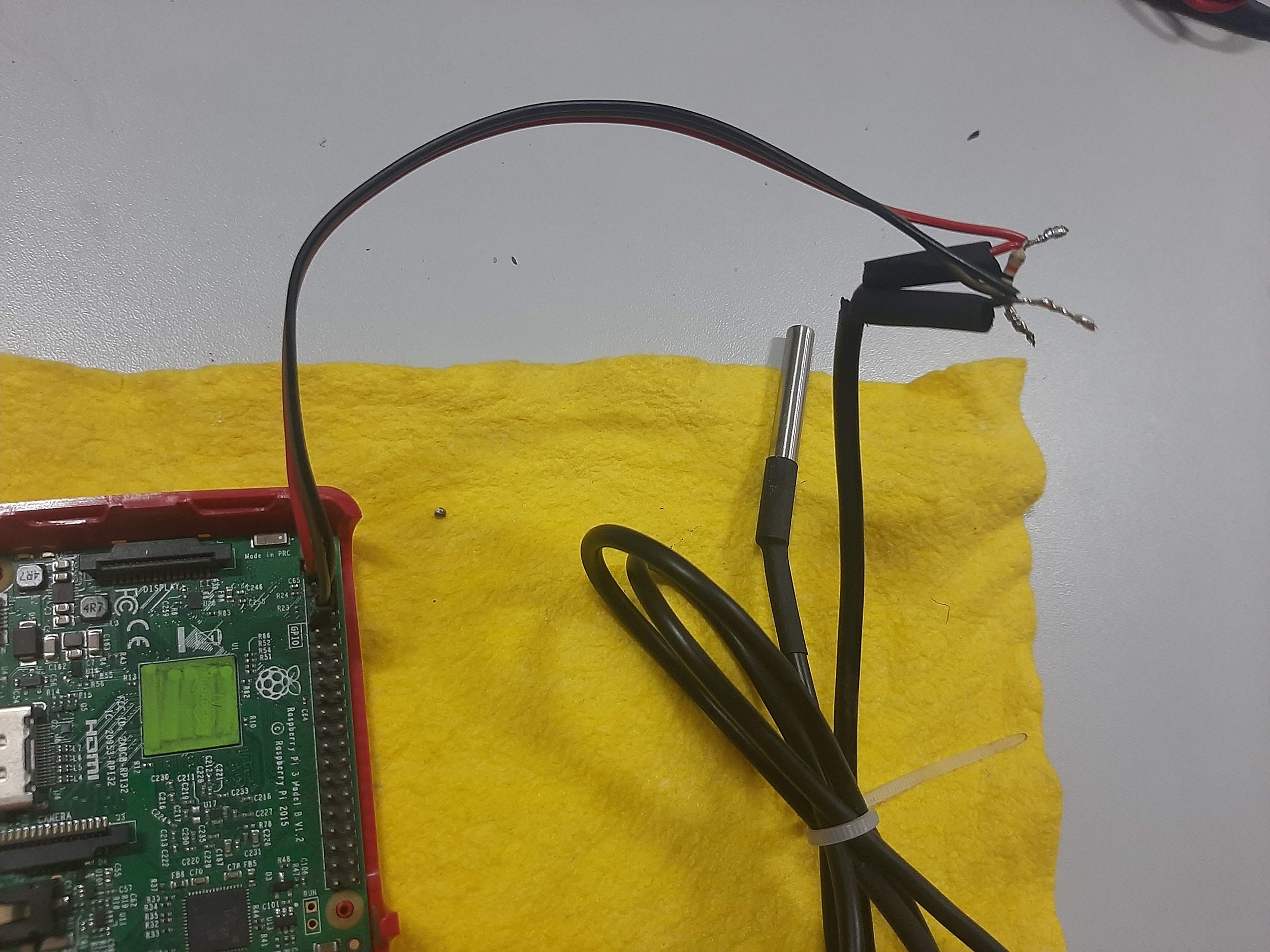
On a Raspbian terminal
When you install Raspian set the username to “istsos”
Import the package to read the temperature sensor
pip install python3-w1thermsensorpip install python-dotenvEnable access to GPIO pins
sudo raspi-config 3 Interface Options > I8 Remote GPIO > YesEnable the sensor overlay
You need to update your boot file.
sudo nano /boot/config.txtThen at the end add the following
dtoverlay=w1-gpio, gpiopin=4 Save the file
Finally, reboot
sudo reboot
Get sensor id
cd /sys/bus/w1/deviceslsCheck the sensor id as 28-XXXXXXXXXXXX where the X.. is the sensor id
Under the folder /opt/istsos create a file tempInsertObservation.py
sudo mkdir /opt/istsos
sudo nano /opt/istsos/tempInsertObservation.py
Paste this code
#!/usr/bin/env python
# coding: utf-8

from requests.auth import HTTPBasicAuth
from requests.packages.urllib3.exceptions import InsecureRequestWarning
import requests, json, os
from datetime import datetime
from dotenv import load_dotenv
from dateutil.tz import tzlocal
from dotenv import load_dotenv
from w1thermsensor import W1ThermSensor, Sensor

sensor = W1ThermSensor(Sensor.DS18B20, '0000071dacba')

#create a file env.txt with
#USER='XXXX'
#PASSWORD='XXXX'
load_dotenv('/opt/istsos/env.txt')
user = os.getenv('ISTSOSUSER')
password = os.getenv('ISTSOSPASSWORD')

requests.packages.urllib3.disable_warnings(InsecureRequestWarning)

auth = HTTPBasicAuth(user, password)
url = 'https://apps.hatarilabs.com/istsos'
service = 'temperature'
procedure = 'genericSensor'
off = 'tempnetwork'

# Requesting a describe sensor mainly to store the assignedSensorId
resProcedure = requests.get(
    '%s/wa/istsos/services/%s/procedures/%s' % (
        url, service, procedure), auth=auth)
print(resProcedure)
procedureData = resProcedure.json()['data']

# Preparing "io" object to send
observedProperties = requests.get(
    '%s/wa/istsos/services/%s/operations/getobservation/offerings/'
    '%s/procedures/%s/observedproperties/:/eventtime/last' % (
        url, service, off, procedure),
    params={
        "qualityIndex": "False"
    }, auth=auth)

io = {
    "AssignedSensorId": procedureData['assignedSensorId'],
    "ForceInsert": "true",
    "Observation": observedProperties.json()['data'][0]
}

#humidity, temperature = Adafruit_DHT.read_retry(DHT_SENSOR, DHT_PIN)
temperature = sensor.get_temperature()
print("Recorded temperature of %s celsius" % temperature)

eventtime = datetime.now(tzlocal())

io["Observation"]['samplingTime'] = {
                    "beginPosition": eventtime.isoformat(),
                    "endPosition": eventtime.isoformat()
                }

ob = [eventtime.isoformat(),str(temperature)]

io["Observation"]['result']['DataArray']['values'] = [ob]

resInsert = requests.post('%s/wa/istsos/services/%s/operations/insertobservation'%(url,service),
                    data=json.dumps(io), auth=auth)
Define a cron job:
crontab -eAdd the following line:
* * * * * /usr/bin/python /opt/istsos/tempInsertObservation.py Run the command once and check that a record has been made:
/usr/bin/python /opt/istsos/tempInsertObservation.py Check if the cronjob is running:
sudo tail -100 /var/log/syslogOn another computer
Retrieve the output data as pandas dataframe with this Ipython notebook:
from requests.auth import HTTPBasicAuth
from requests.packages.urllib3.exceptions import InsecureRequestWarning
import matplotlib.pyplot as plt
import requests, json, os
from dotenv import load_dotenv
import pandas as pd
requests.packages.urllib3.disable_warnings(InsecureRequestWarning)
#create a file envViewer.txt with
#USER='XXXX'
#PASSWORD='XXXX'
load_dotenv('envViewer.txt')
user = os.getenv('ISTSOSUSER')
password = os.getenv('ISTSOSPASSWORD')
auth = HTTPBasicAuth(user, password)url = 'https://apps.hatarilabs.com/istsos'
service = 'temperature'
procedure = 'genericSensor'
off = 'tempnetwork'beginTime = "2023-06-01T00:00:00-05:00"
endTime = "2023-06-01T20:00:00-05:00"
# Preparing "io" object to send
observedProperties = requests.get(
'%s/wa/istsos/services/%s/operations/getobservation/offerings/'
'%s/procedures/%s/observedproperties/:/eventtime/%s/%s' % (
url, service, off, procedure,beginTime,endTime),
params={
"qualityIndex": "False"
}, auth=auth)observedList = observedProperties.json()['data'][0]['result']['DataArray']['values']observedList[:5][['2023-06-01T10:49:04.650563-05:00', 23.625],
['2023-06-01T10:50:04.170496-05:00', 23.625],
['2023-06-01T10:51:05.050523-05:00', 30.5],
['2023-06-01T10:52:04.490570-05:00', 29.125],
['2023-06-01T10:53:04.810532-05:00', 28.0]]observedDf = pd.DataFrame(columns=['Date','Temp'])
observedDf| Date | Temp |
|---|
observedDf['Date'] = pd.to_datetime([i[0] for i in observedList])
observedDf['Temp'] = [i[1] for i in observedList]
observedDf = observedDf.set_index('Date')
observedDf.head()| Temp | |
|---|---|
| Date | |
| 2023-06-01 10:49:04.650563-05:00 | 23.625 |
| 2023-06-01 10:50:04.170496-05:00 | 23.625 |
| 2023-06-01 10:51:05.050523-05:00 | 30.500 |
| 2023-06-01 10:52:04.490570-05:00 | 29.125 |
| 2023-06-01 10:53:04.810532-05:00 | 28.000 |
observedDf.plot()<Axes: xlabel='Date'>